
SongSweep Clean Up Your Apple Music Library by Swiping
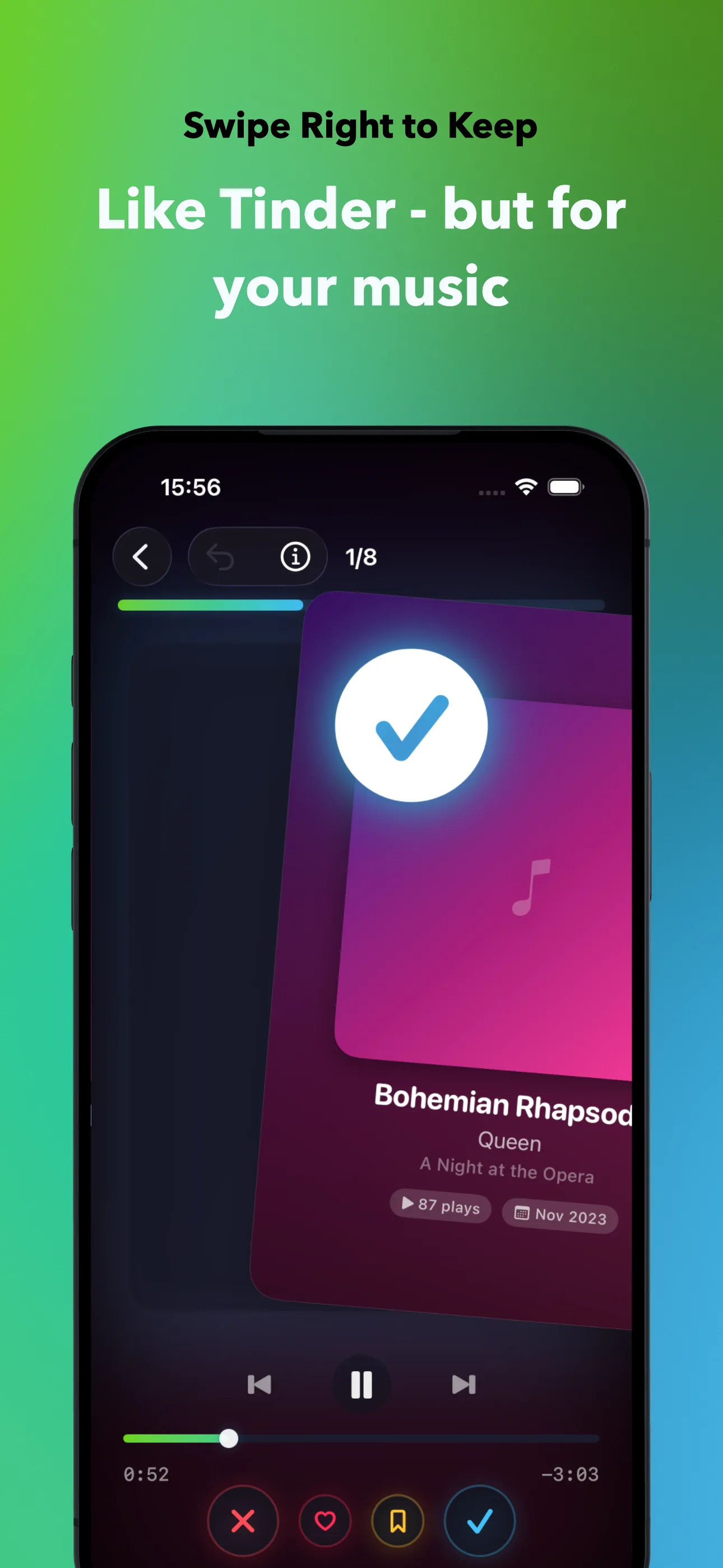
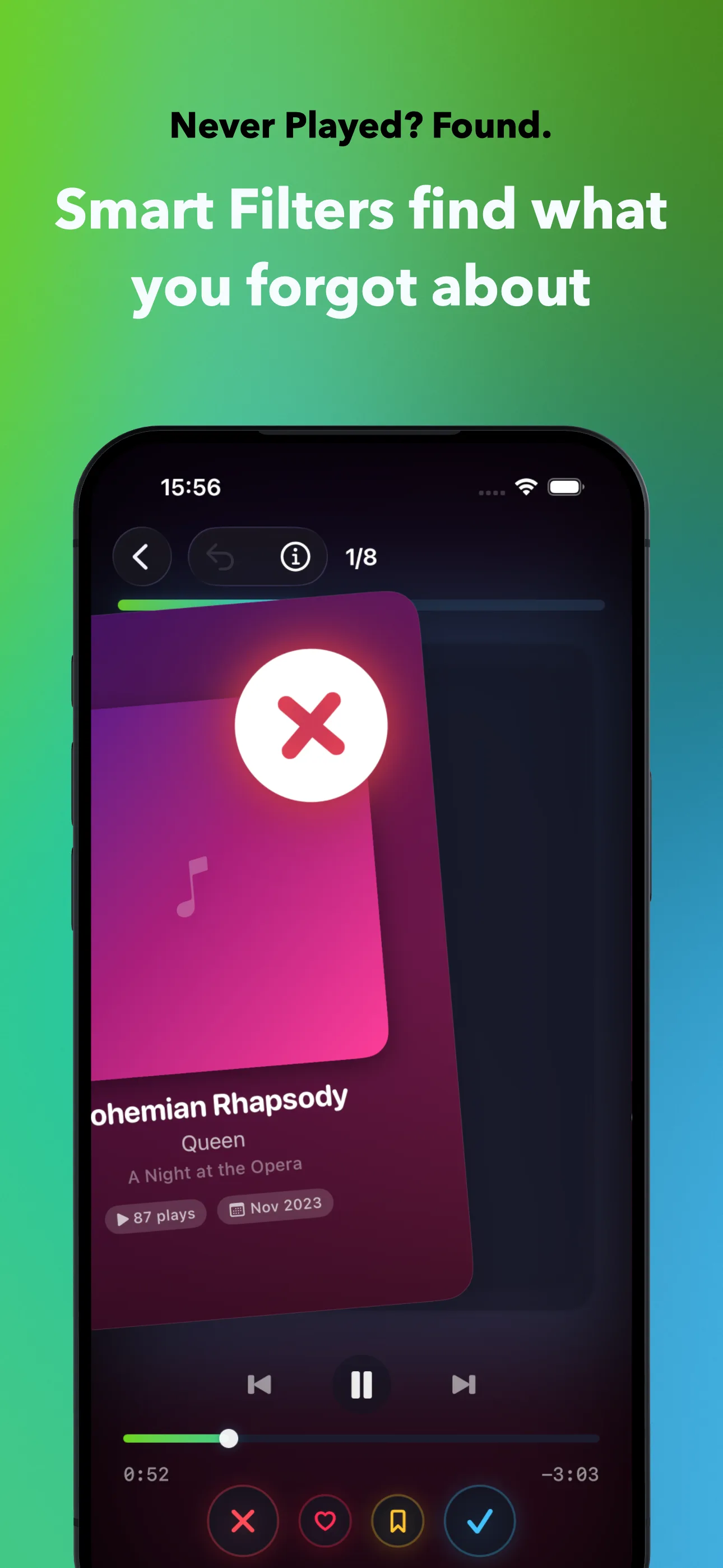
Like Tinder, but for your music. Swipe right to keep, left to sort out. Smart Filters find songs you forgot about, and CarPlay lets you sort while you drive. 100% private, 100% on-device.

iPhone (iOS 18+) · CarPlay · Apple Watch · Mac (macOS 26+) · Free to download
See It in Action
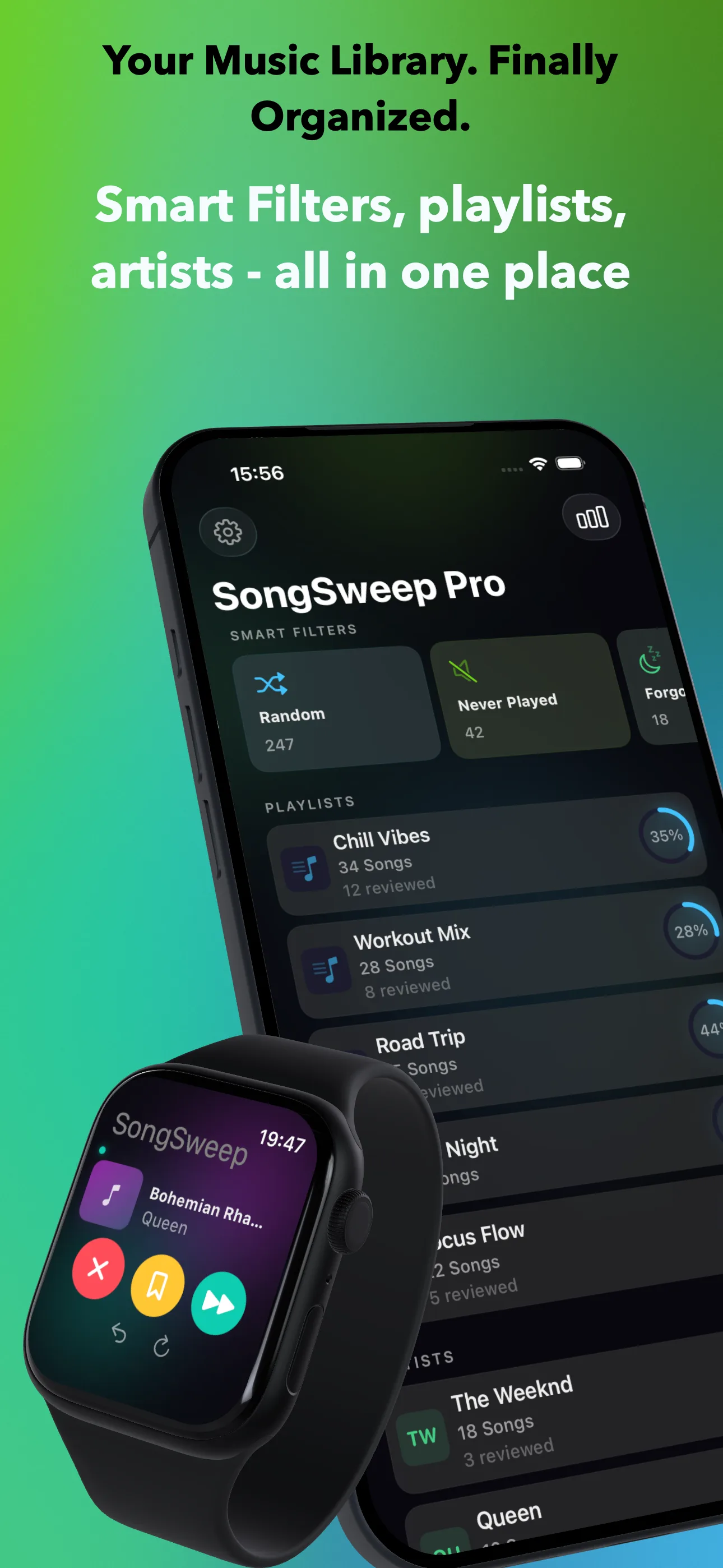
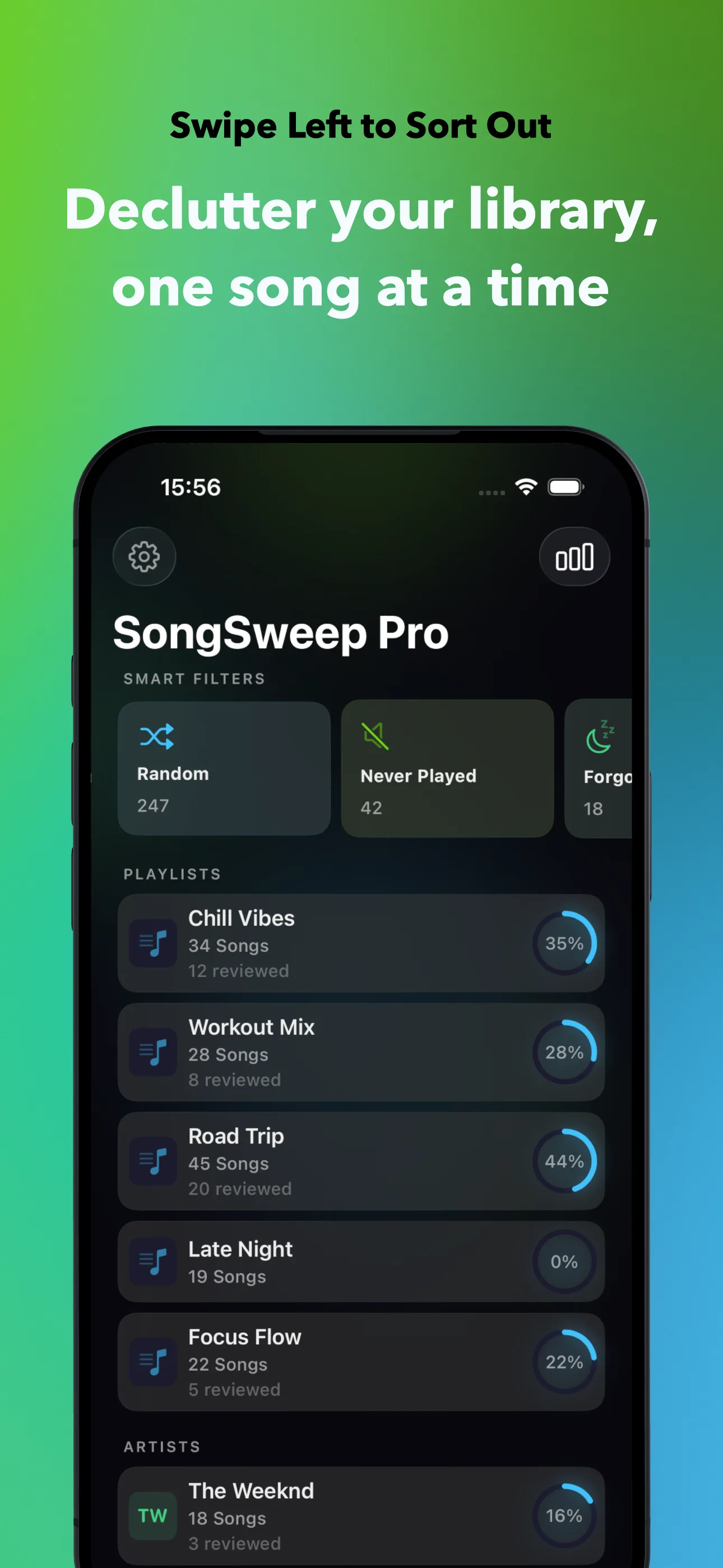
Your Library, Finally Organized
From swipe to commit - every step designed to make sorting your music effortless.
Features
Everything You Need to Organize Your Library
No more scrolling through thousands of songs. SongSweep makes sorting your music as easy as swiping.
Swipe to Sort
Left to sort out, right to keep, up to bookmark. Tap the heart to love. Preview every song before you decide.
CarPlay
Sort your library while you drive. Browse by smart filter, year, artist or playlist, then sort out, bookmark or love the song that is playing. Skipping forward keeps it, and the next song starts on its own.
Sort Without Opening the App
Put the Sort Out widget on your Home Screen or Lock Screen, or add the button to Control Center. One tap sorts out the song that is playing. The app stays closed.
Month by Month
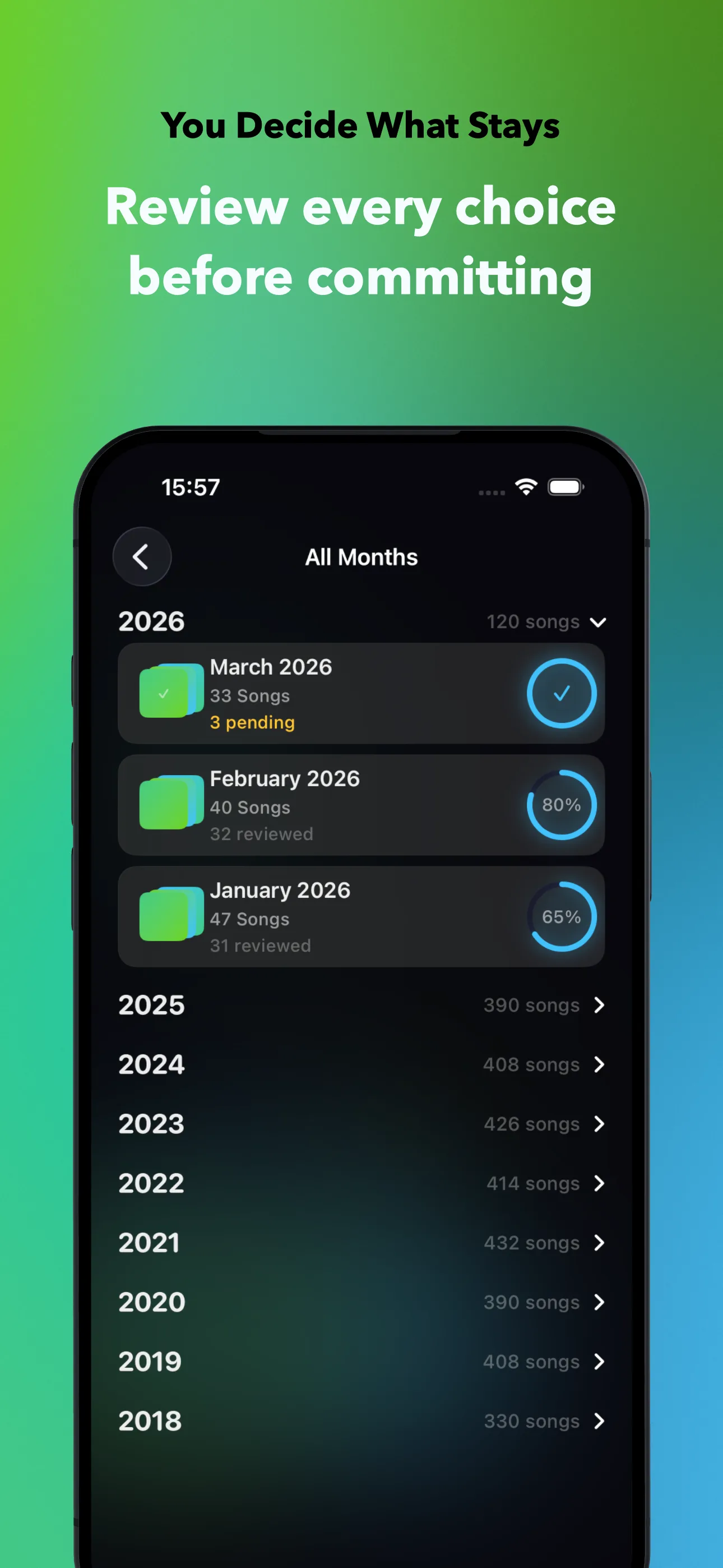
8 years of music history, organized at a glance. Tackle one month at a time.
Smart Filters
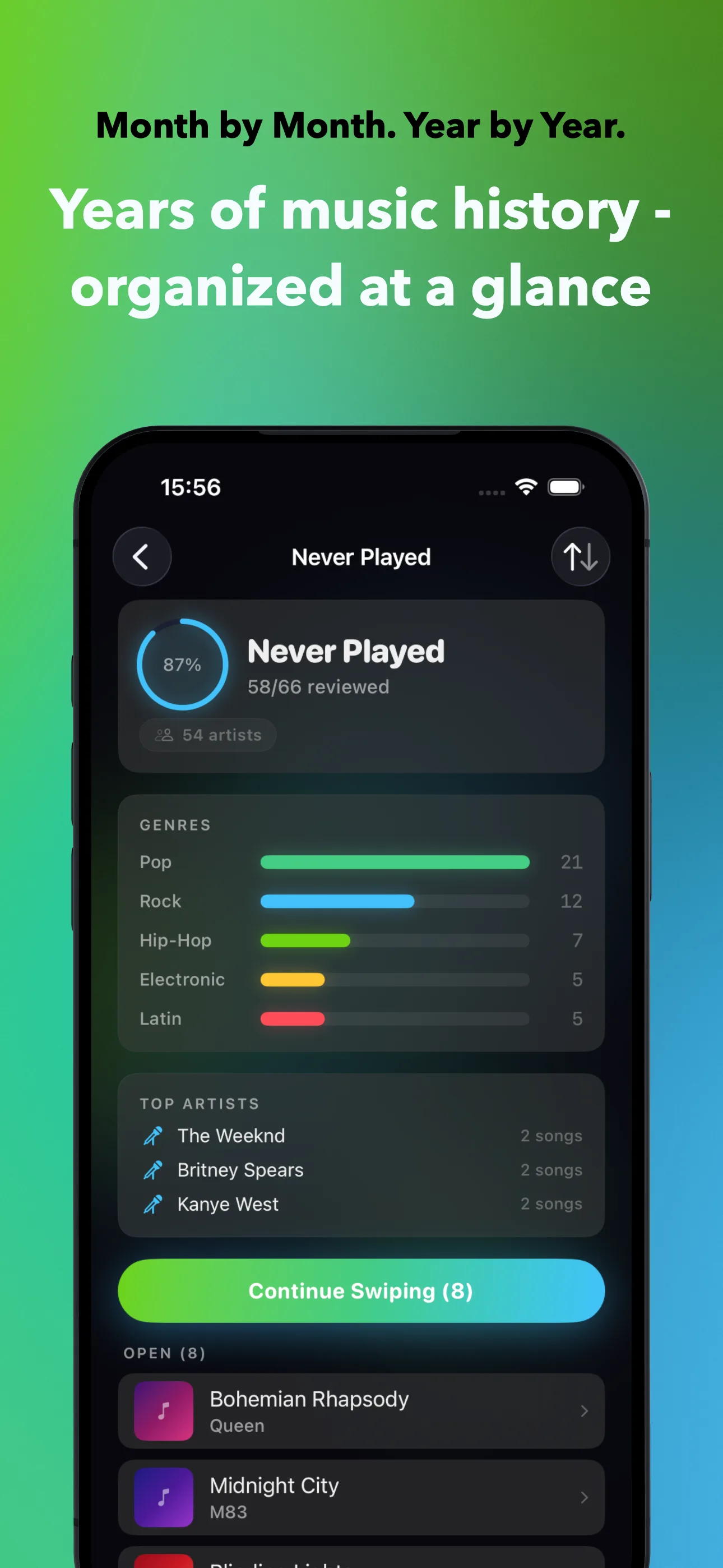
Find songs you never played or forgot about. Genre breakdowns, top artists, and more. Free for everyone, on iPhone and in CarPlay.
Apple Watch
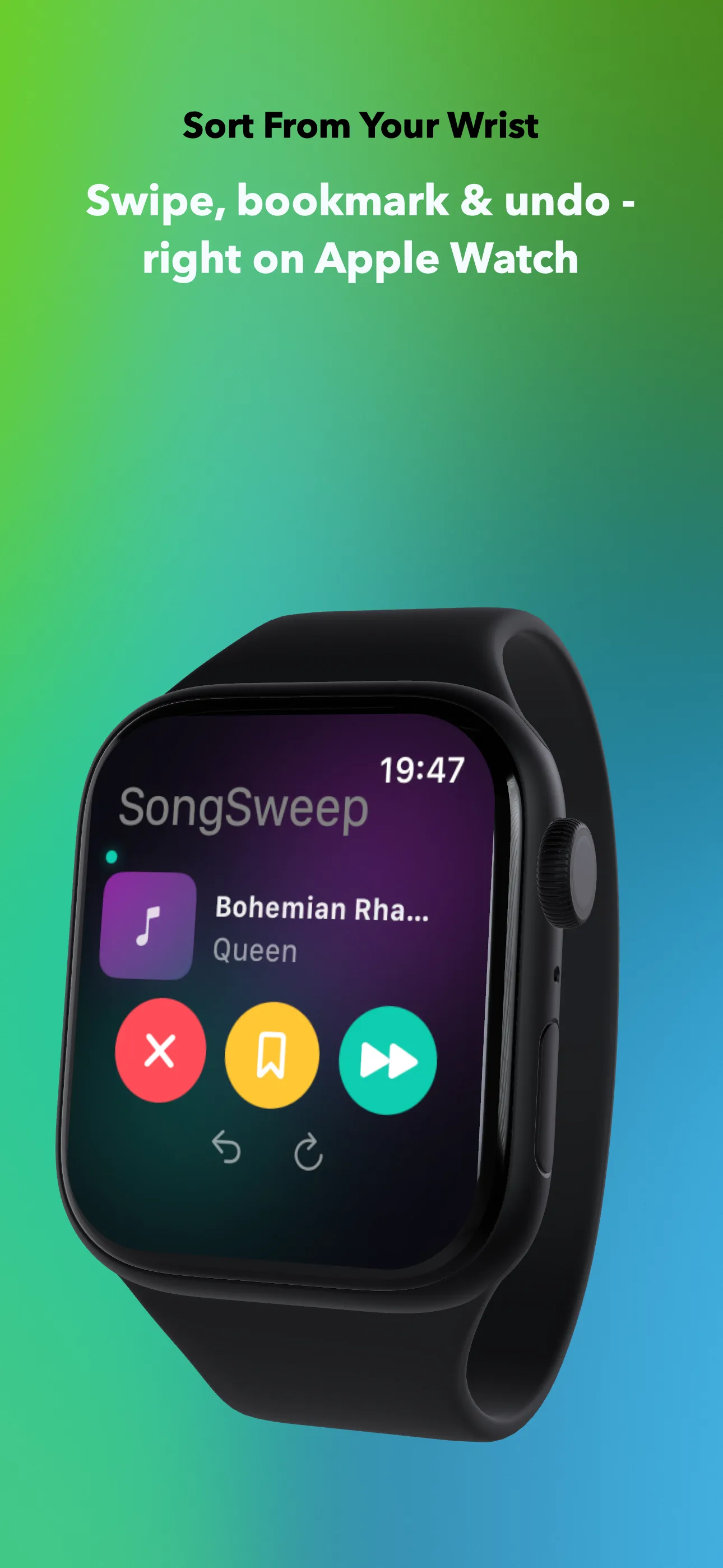
Sort from your wrist. Swipe, bookmark & undo - right on Apple Watch. Perfect while commuting.
Mac Mini-Player
A floating player in your menu bar. Sort songs while you work. Global hotkey (Cmd+Shift+M). One-time purchase or included with Pro.
Love Your Favourites
Tap the heart to mark songs as loved in Apple Music. Better feedback means better recommendations.
Stats & Achievements
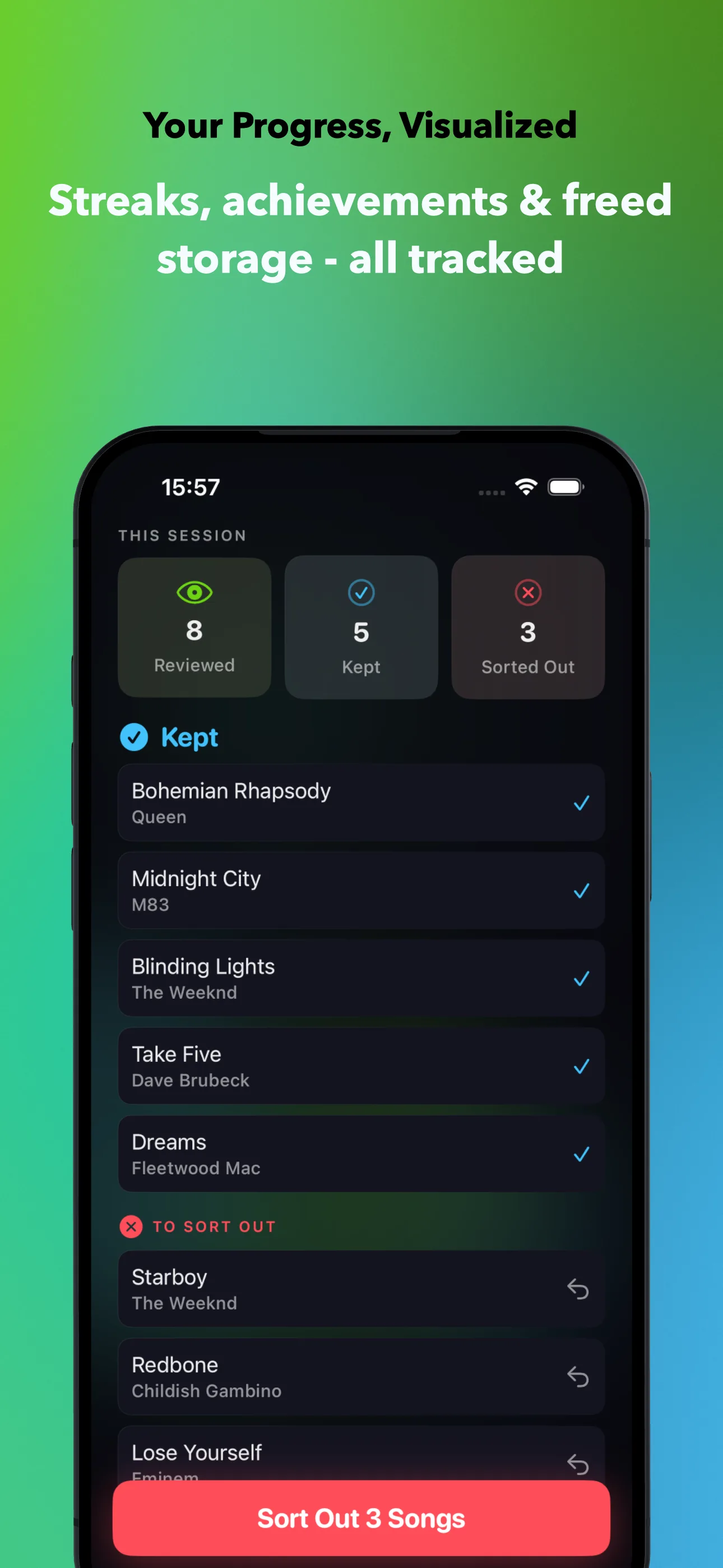
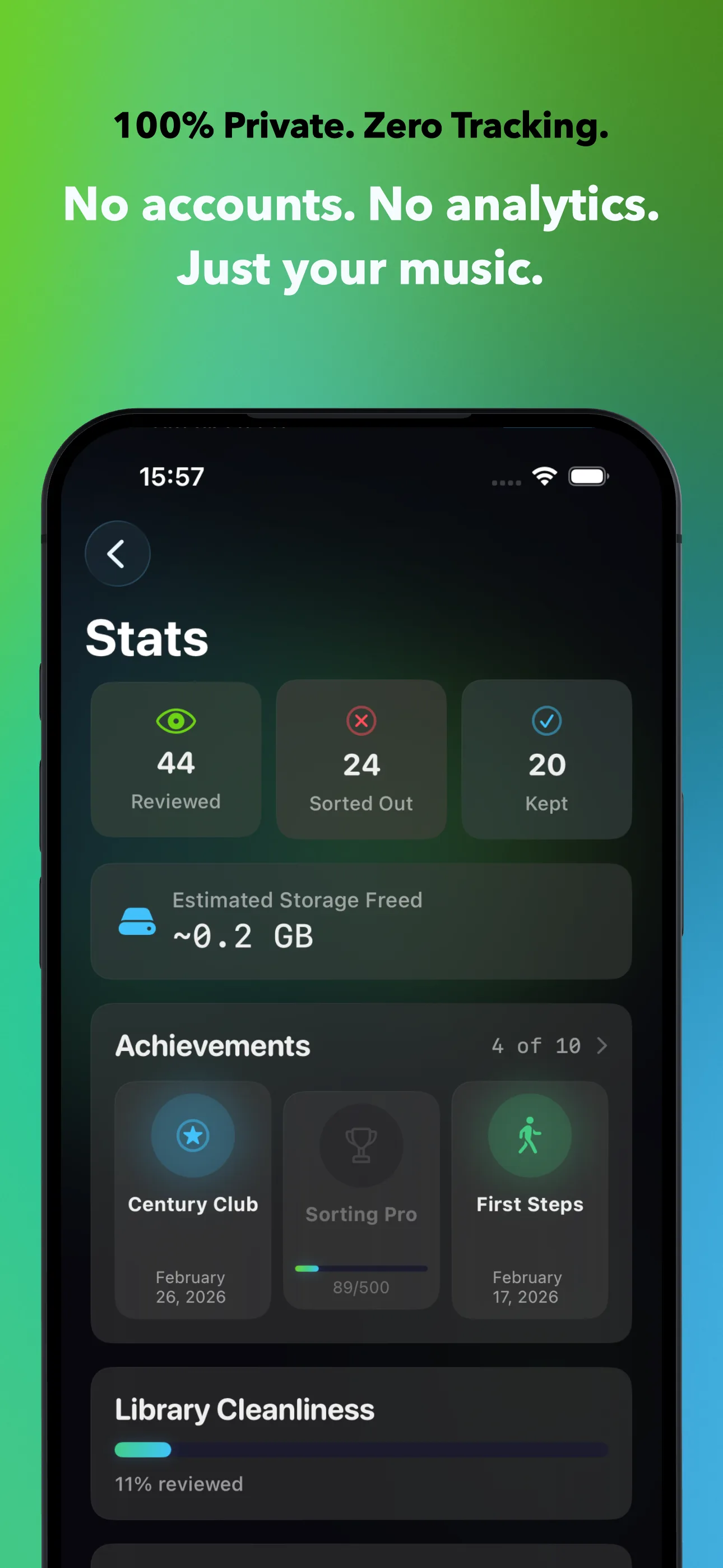
Track your progress with streaks, achievements, and estimated storage freed.
100% Private
No accounts, no analytics, no tracking, no cloud. Everything stays on your device.
How It Works
Three Steps. That's It.
No setup, no accounts, no syncing. Just open the app and start swiping.
Pick a Source
Choose a month, a playlist, or a smart filter. Start wherever you want.
Swipe Through
Listen to previews and swipe. Right to keep, left to sort out, up to bookmark. Tap the heart to love.
Review & Commit
Check your choices, then commit. Sorted-out songs get moved to a playlist automatically.
Pricing
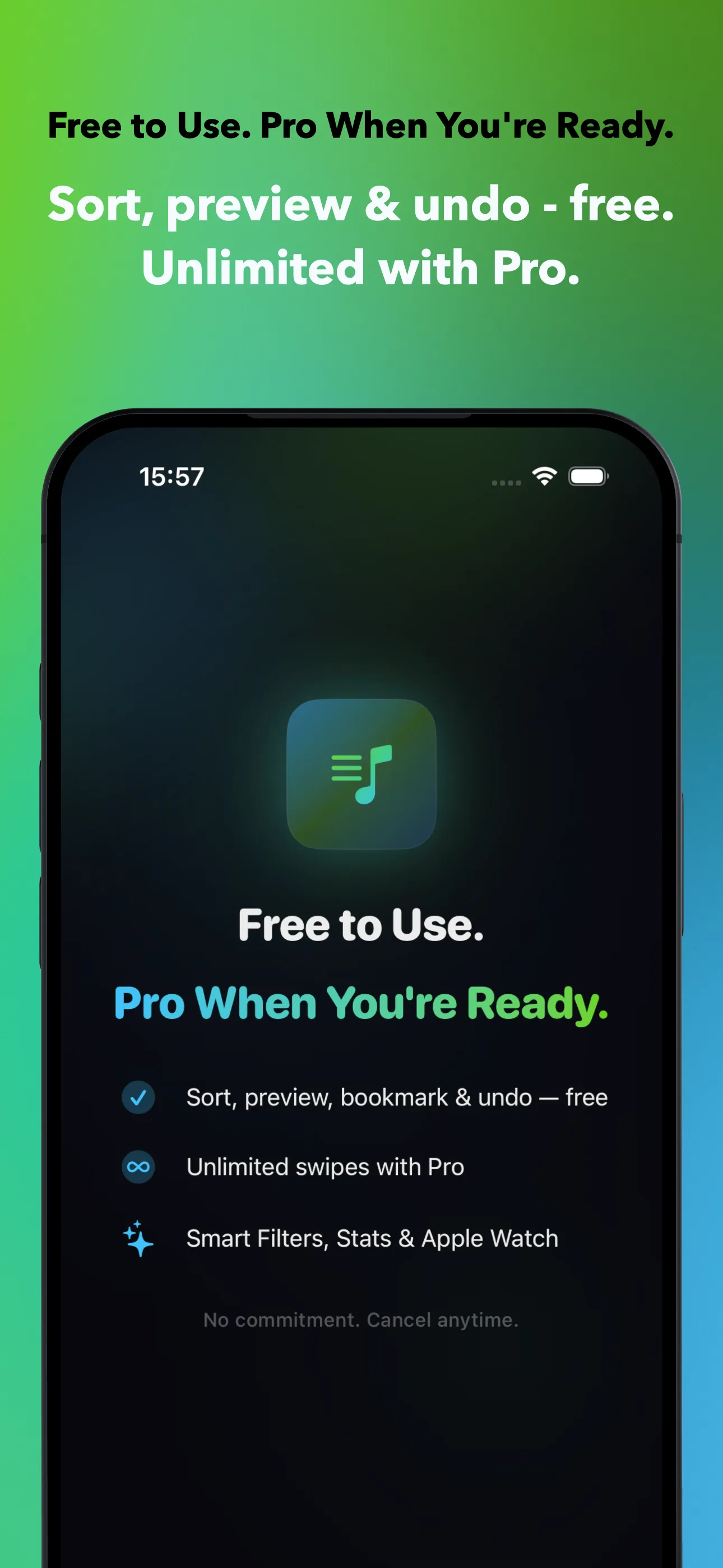
Free to Start. Pro When You're Ready.
No ads, no data selling, no hidden costs. Sort your music for free - upgrade only if you want more.
Free Forever
Everything you need to get started
No credit card. No account. No time limit. Just open the app and start sorting.
Yearly
Save 48% - limited time
- Unlimited swipes, on every device
- Duplicate finder
- Apple Watch + Mac
- Detailed statistics
- Future features included
Monthly
Cancel anytime
- Unlimited swipes, on every device
- Duplicate finder
- Apple Watch + Mac
- Detailed statistics
Hate subscriptions?
Pay once, own forever. All Pro features, all future updates. No recurring charges.
All purchases managed via Apple. Cancel subscriptions anytime. Prices may vary by region.
100% On-Device. Zero Data Collection.
No accounts. No analytics. No tracking. No ads. Your music, your decisions, your device. We never see your data because it never leaves your device.
SongSweep stores everything locally using Apple's SwiftData. The only external communication is with Apple's servers through their official APIs - MusicKit for your library, StoreKit for subscriptions. That's it.
FAQ
Frequently Asked Questions
What is SongSweep?
SongSweep is a music library organizer for Apple Music. Swipe right to keep songs you love, left to sort out the rest, and up to bookmark for later. Available on iPhone, CarPlay, Apple Watch, and Mac.
Does SongSweep delete my songs?
No. Apple Music does not allow third-party apps to delete songs. SongSweep moves sorted-out songs to a dedicated playlist and marks them as 'Suggest Less' so they stop cluttering your experience while remaining in your library.
Is SongSweep free to use?
Yes. SongSweep is free with 25 swipes per day, month-by-month sorting, Smart Filters, audio previews, undo, bookmarks, CarPlay, the widget and the Control Center button. SongSweep Pro removes the daily limit and adds the duplicate finder, detailed statistics, the Apple Watch app and the Mac Mini-Player.
Is my music data private?
100% private. SongSweep has no accounts, no analytics, no tracking, no ads, and no cloud storage. Everything stays on your device. The only external communication is with Apple's official MusicKit and StoreKit APIs.
Does SongSweep work on Apple Watch?
Yes. SongSweep includes a native Apple Watch app. Sort songs from your wrist with swipe, bookmark, and undo. Perfect while commuting or working out. Requires SongSweep Pro.
What are Smart Filters?
Smart Filters automatically find songs you never played, songs you have not listened to in a year or more, and songs you bookmarked. They include genre breakdowns and top artist insights to help you rediscover forgotten music. Smart Filters are free, on iPhone and in CarPlay. Free accounts are limited by the 25 swipes per day, not by which list they can open.
How does SongSweep work on Mac?
SongSweep includes a Mac Mini-Player that floats in your menu bar. Sort songs while you work with a global hotkey (Cmd+Shift+M). Available as a one-time purchase or included with SongSweep Pro.
Does SongSweep work with CarPlay?
Yes. SongSweep has a CarPlay app with three tabs: Library, Years and Artists. Browse smart filters or your own playlists, start playing, and use the Now Playing buttons to sort out, bookmark or love a song. Skipping forward counts as a keep, and the next song starts on its own. Playback keeps running in the background.
Can I sort songs without opening the app?
Yes. The Sort Out widget works on the Home Screen and the Lock Screen, and there is a Sort Out button for Control Center. One tap sorts out whatever is playing and the app stays closed. Siri works too: say 'Sort out this song with SongSweep'.
Tips & Guides
Get More Out of Your Music Library
Practical tips for organizing your Apple Music library, fixing recommendations, and freeing up space.
How to Clean Up Your Apple Music Library
A realistic, month-by-month method for sorting a messy library, and what SongSweep does when you sort out a song.
Why Are Apple Music Recommendations So Bad?
The real cause is your library, not the algorithm. Five fixes that actually change your For You suggestions.
Find the Songs You Never Played
Sort by plays on Mac, or use Never Played and Forgotten filters on iPhone to find what you added and forgot.
Fix Apple Music's Storage Problem
See where the space really goes and the one fix that stops downloads from piling back up.
Why Apps Can't Delete Apple Music Songs
MusicKit has no delete API. What apps can actually do instead, and how SongSweep works with those limits.
Delete Apple Music Songs in Bulk
The real bulk-delete methods for iPhone and Mac, plus how SongSweep speeds up iPhone cleanup.
Find Duplicate Songs in Apple Music
Where duplicates come from, the Mac trick, and how SongSweep finds them on iPhone with a side-by-side comparison.
SongSweep vs Song Sweeper vs Song Swipe
A fair, honest comparison of four Apple Music cleanup apps: price, platforms and features, side by side.
Ready to Organize Your Library?
Your music library deserves better than endless scrolling. Start sorting for free.